




 Rewards Club
 Join Now
 Continue a project
 Sign In














 Join Now
 Continue a project
 Sign In
Welcome To Photobookshop!
Getting Started with Photobooks!
Helpful tips to guide you before you download our FREE software.
-
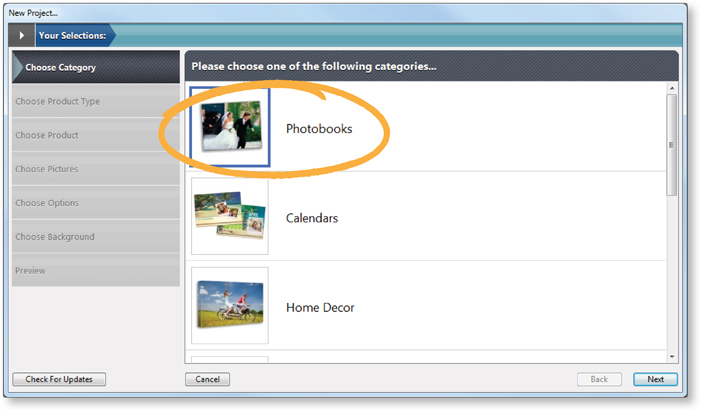
Choose CATEGORY:
Click Photobooks, then NEXT.
-
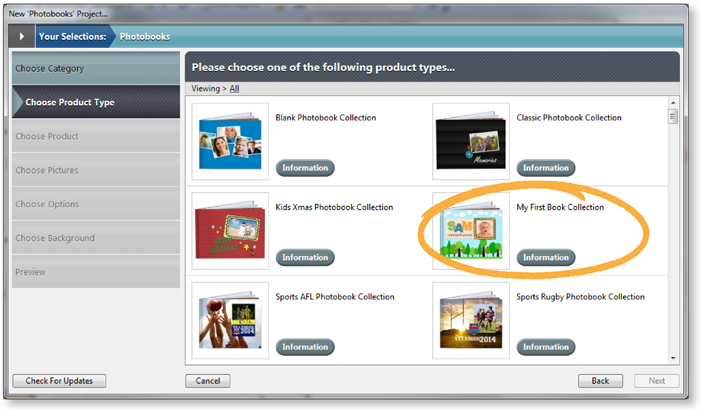
Choose PRODUCT TYPE:
Here you get to choose whichever template you like! All sizes are available.
-
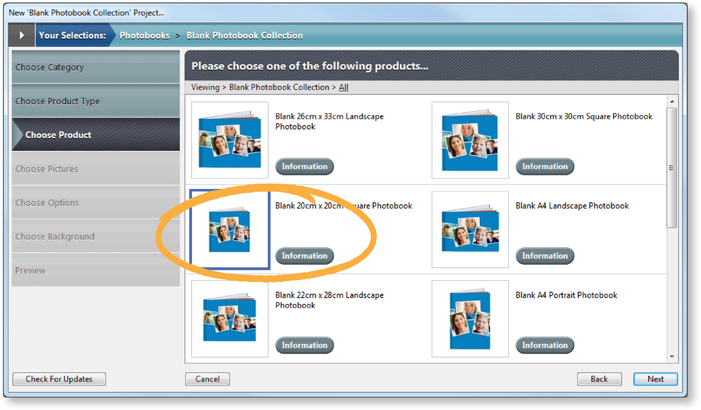
Choose PRODUCT:
Here you get to choose which size you would like!
-
HELPFUL WIZARD:
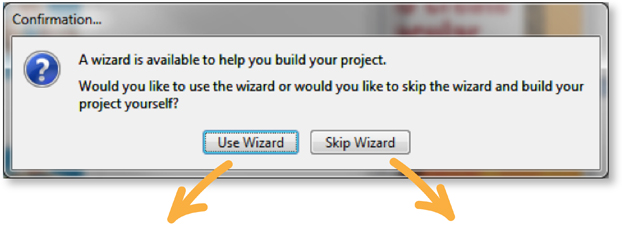
- Use Wizard: Go to STEP 5.
- Skip Wizard: Will take you straight to buidling your project; our software will only have the default pages available so please add or delete pages as necessary.
-
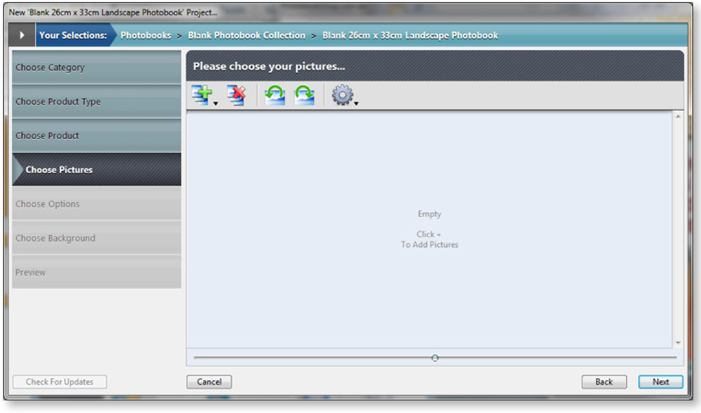
Choose PRODUCT:
You can add as many or as few photos as you like! Don't stress if you cannot find them all, as you can add/delete photos later.
-
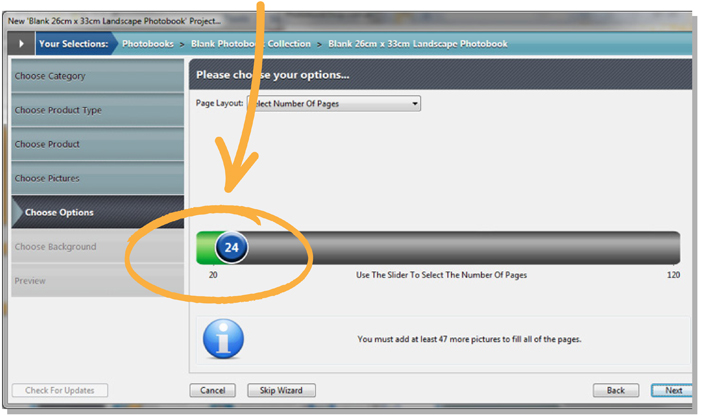
Choose OPTIONS:
Here you can move the blue button to select how many pages you would like.
-
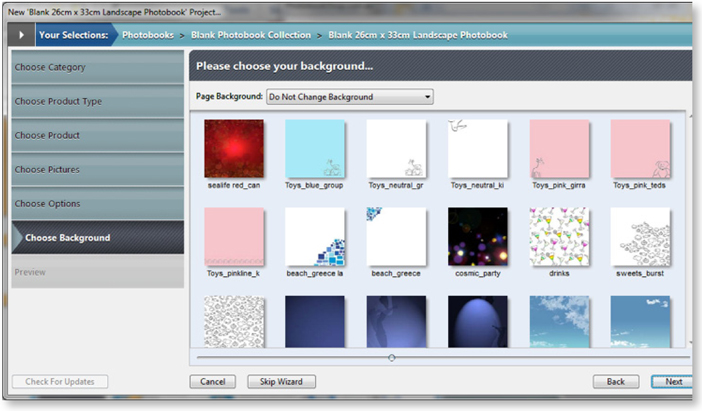
Choose BACKGROUND:
Here you can choose the background you would like!
-
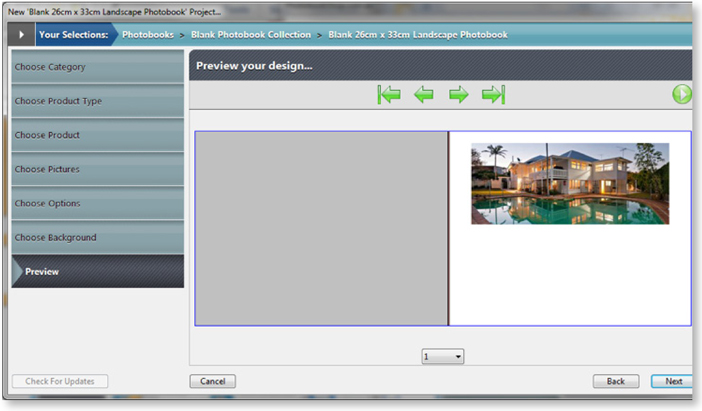
PREVIEW:
Click NEXT and finish designing your Photobook with your own photos! It's a good idea to set up a folder on your computer to put your photos in, so you can access them easily while you create your project. Click PREVIEW to see what your photobook will look like!
-
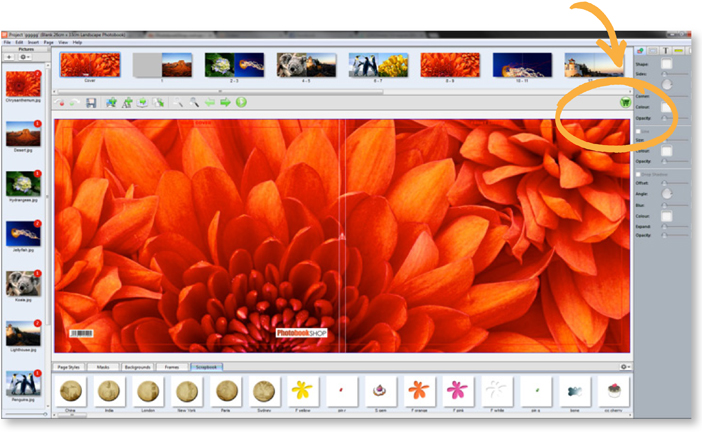
ORDER: Click on the shopping cart and order your Photobook.
-
LOGIN: with the details you entered when downloading our software (Step13)

-
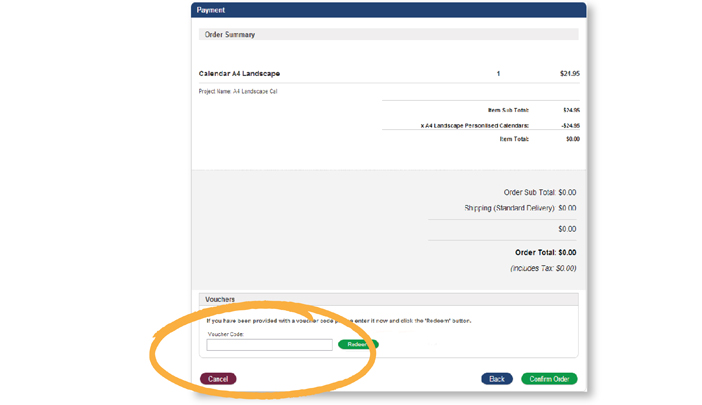
Follow the prompts and input your voucher code, then click REDEEM.
-
Follow the prompts again and upload your project to us where we will take care of the rest! Your order will be produced in 7-14 business days and then delivered to you.
-
Click here and get started now!
You can always contact us at: smile@photobookshop.co.nz